In this guide, I assume you’ve already set up your new domain name and installed WordPress.org. If you haven’t already, please follow my free guide How to set up WordPress.org to see how to get a free domain name and how to install WordPress.org. I can even do the installation for you for free, just Submit a blog setup request here.
If you already have a blog on WordPress.com and want to do this move it to your own domain Using WordPress.org, this tutorial will show you how.
WordPress.com has a few inherent problems that make it less desirable for many bloggers. The main problems are the lack of control and security, along with the inability to monetize your blog. If you’ve experienced these issues, it’s time to switch from WordPress.com to WordPress.org.
1 – Export your WordPress.com Blog
While you can’t install third-party plugins using a free blog hosted on WordPress.com, the platform has an export tool that lets you download all your posts and comments to make it easier to move from WordPress.com to WordPress.org.
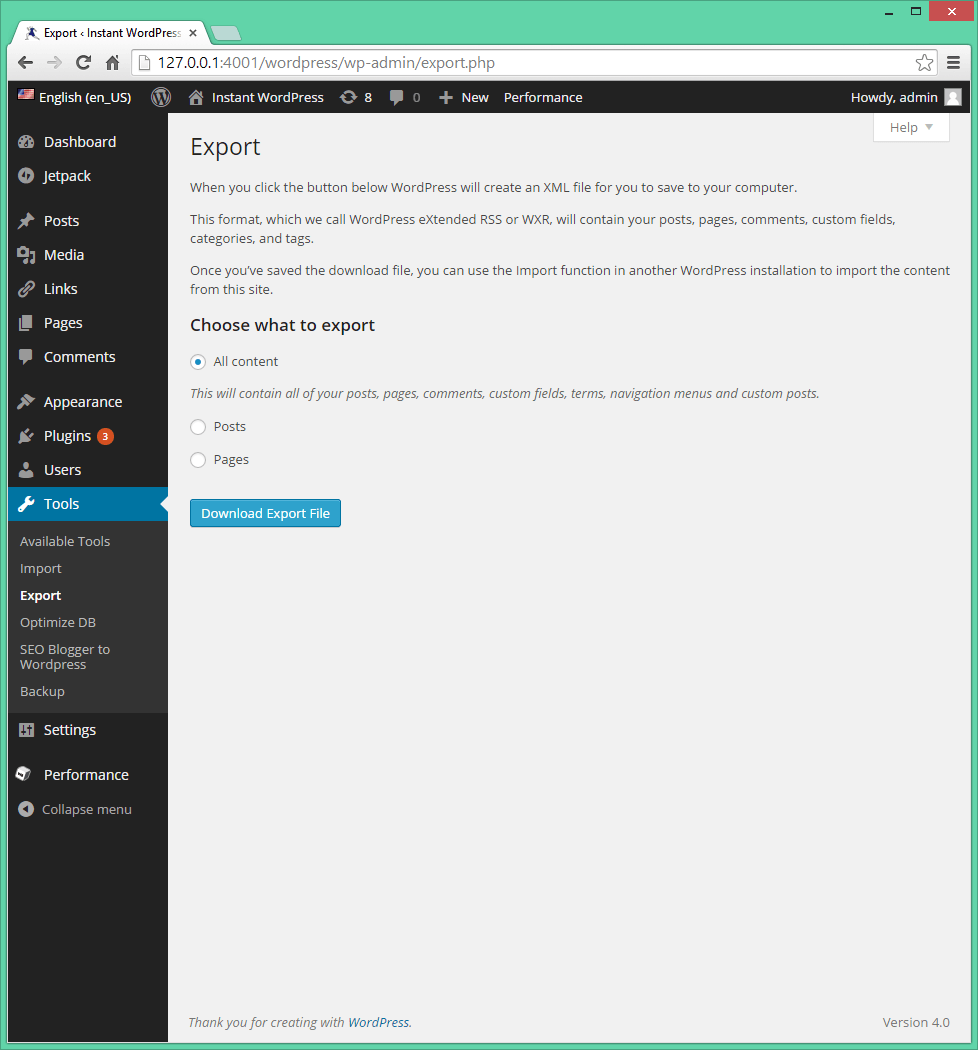
- On your WordPress.com blog, go to “Tools > Export” and click “Export”.
- Select the content you want to export. You’ll probably want to stick with the default option “All Content” to export all your posts, pages, comments, navigation menus, and other content.
- Click “Upload Export File” to download your content to your computer as a single XML file.
2 – Import your WordPress.com Blog
You can now upload the XML file to your new WordPress.org blog (Detailed instructions for creating your new blog can be found here) so that all of your content appears instantly on your new website.
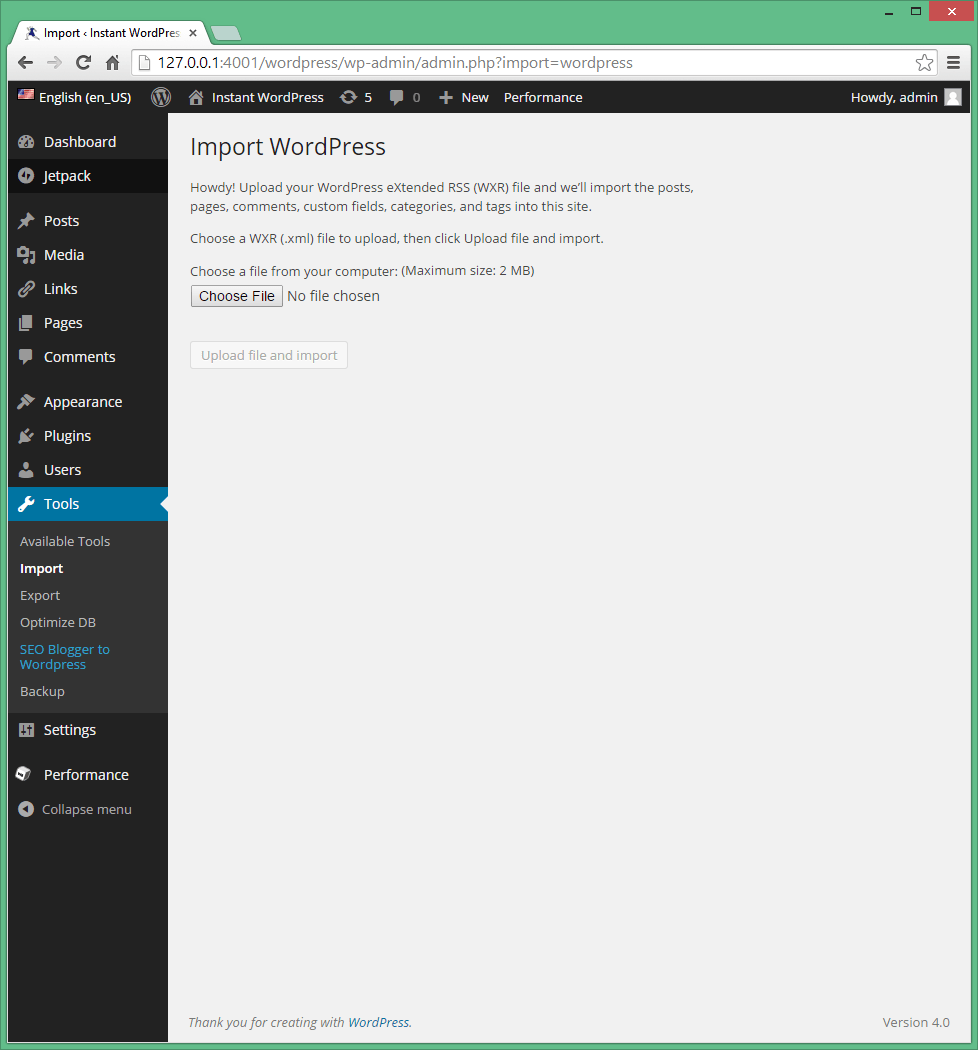
- On your self-hosted wordpress.org blog, go to “Tools > Import” and click on the last “WordPress” option.
- Click the “Choose file” button and navigate to the XML file you downloaded in the previous step. Click “Upload File and Import” and wait for WordPress to transfer your content to the new site. Depending on your Internet connection and the size of the XML file, the transfer may take some time.
3 – Set up redirection
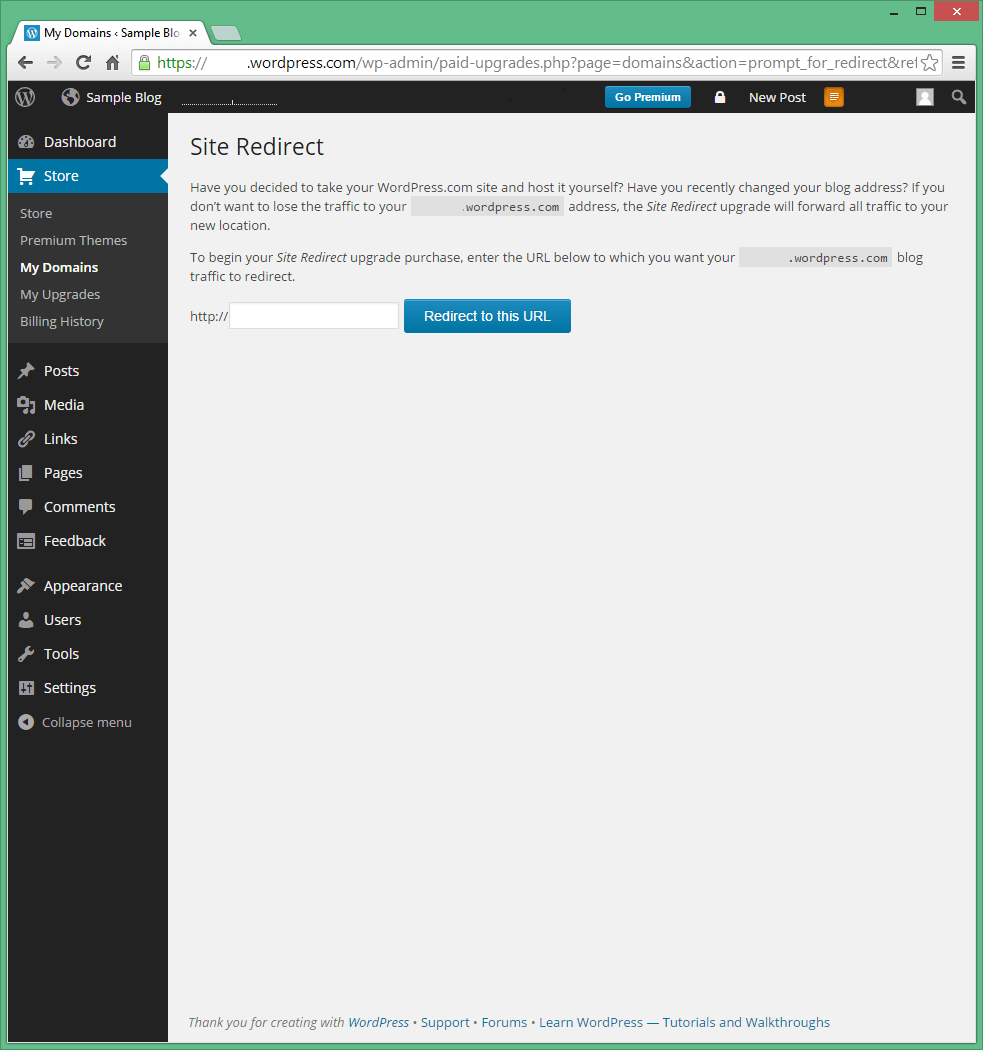
Your visitors won’t know you’ve moved to a self-hosted blog, they’ll still visit the old blog for a while, so you should automatically redirect them to the new domain. The easiest way to do this is to use the Site Redirect service from wordpress.com, which costs $13 per year.
- In your old wordpress.com admin panel, open the “Store” menu and search for “Site Redirection”.
- Click “Buy Now” and click “Buy Now” again to confirm. Enter the address of your own wordpress.org blog and click the “Redirect to this URL” button.
- Confirm the purchase and enter your payment information to complete the process.
By setting up a redirect, you will be able to manage your site’s redirects from the “Store > My Domains” menu item in the wordpress.com admin panel. Permalinks on your new site must match those used on your wordpress.com blog for redirection to work properly. You can change the redirect at any time, and for best results, you’ll probably want to use the service for a year or two until your visitors come to remember your new domain and dominate search results.